How to Maximize Performance on AMD Radeon 2GB Cards
If you’ve spent a few dollars on an AMD Radeon graphics card with just 2 GB of VRAM, you’re probably wondering how far it can stretch in today’s games. The short answer: it can still hold its own in many titles, especially when you tune a few settings and set realistic expectations. Below we break down what the hardware actually offers, where it shines, and the tweaks that will squeeze the most frames out of that modest amount of memory.
What the 2 GB Spec Means for Gaming
Two gigabytes of video memory sounds tiny compared to the 8–12 GB you see on flagship models, but it isn’t useless. The key limitation is texture size: modern games often load high‑resolution assets that exceed 2 GB, forcing the card to swap data to system RAM, which hurts performance.
That said, many popular e‑sports titles and older releases stay well under the 2 GB threshold, meaning you’ll see smooth gameplay with the right settings. The GPU core architecture (Polaris, Vega, or the newer Navi‑Lite) also matters; a Radeon RX 560, for example, will outpace an older Radeon R7 260 even though both have 2 GB.
Real‑World Benchmarks: Where 2 GB Cards Hold Up
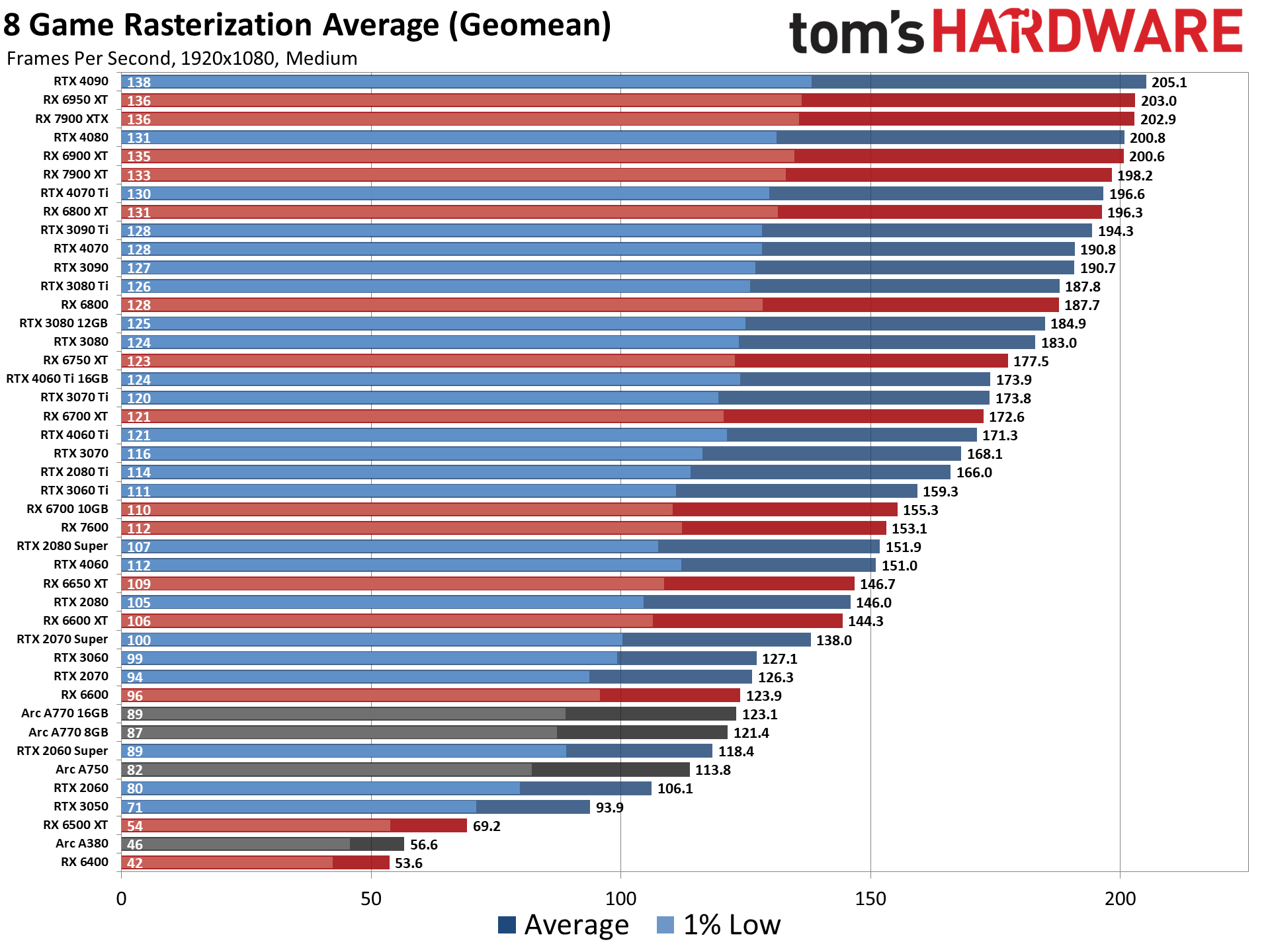
In practice, a mid‑range Radeon 2 GB card typically delivers:
- 30–40 fps at 1080p on low‑to‑medium settings in fast‑paced shooters like Valorant or Fortnite.
- 20–30 fps on medium settings in texture‑heavy RPGs such as The Witcher 3 (when you cap resolution at 720p or use texture scaling).
- Smooth 60 fps in older classics (Counter‑Strike: Global Offensive, League of Legends) even at full HD.
These numbers are not set in stone; they shift with driver updates, background processes, and the exact model of the card. The general pattern, however, holds: you’ll need to dial down texture quality and resolution to stay above 30 fps in newer releases.
Key Settings to Tweak for Better FPS
Most games expose a handful of graphics options that have outsized impact on VRAM usage. Adjust them in this order:
- Resolution: Dropping from 1920×1080 to 1600×900 can shave 5–10 fps off the load.
- Texture Quality: Set to low or medium; textures are the biggest VRAM consumers.
- Shadow Detail: Turn off or use low; shadows are expensive for little visual gain at lower resolutions.
- Anti‑Aliasing: Disable MSAA; use FXAA if you need a smidge of edge smoothing.
- Post‑Processing Effects: Bloom, motion blur, and ambient occlusion can be cut without breaking immersion.
After each change, run a quick in‑game benchmark or use a tool like FRAPS to confirm the FPS gain. Small adjustments often add up to a noticeable improvement.
Driver and Software Tweaks
AMD’s Radeon Software (formerly Catalyst) includes performance profiles you can apply with a click. The “Gaming” preset optimizes power delivery and disables unnecessary background tasks. For an extra edge, enable “Radeon Anti‑Lag” and “Radeon Chill” – the former reduces input latency, while the latter caps frame rates during low‑intensity moments to keep temperatures in check.
Don’t forget to keep the driver up to date. AMD releases “Game Ready” drivers that target specific releases, often improving performance by a few percent. If a new driver causes instability, roll back to the previous stable version rather than staying on a problematic release.
When System Bottlenecks Take Over
Even with perfect graphics settings, a 2 GB Radeon can be hamstrung by other components. A slow CPU will limit frame rates in physics‑heavy titles, and insufficient RAM (below 8 GB) can force the OS to swap, adding stutter. Make sure your system meets at least these baselines:
- CPU: Quad‑core, 3.0 GHz or higher (e.g., Ryzen 3 3100, Intel i5‑10400).
- System RAM: 8 GB minimum; 16 GB preferred for future‑proofing.
- Storage: SSD for faster asset loading; HDDs can cause texture pop‑in, which hurts a low‑VRAM card the most.
Is It Time to Upgrade?
If you find yourself constantly lowering settings to sub‑720p resolution, or if you want to enjoy ray‑tracing and high‑resolution textures, it’s a sign that the 2 GB card has reached its practical limit. Upgrading to a Radeon RX 6600 XT (8 GB) or a comparable Nvidia GTX 1660 Super will give you a noticeable jump in both frame rates and visual fidelity without breaking the bank.
However, if you primarily play competitive shooters or indie games, the current card can still serve you well for another year or two, especially when paired with the optimization tips above.
FAQ
Can I run modern AAA games on a 2 GB Radeon card?
Yes, but you’ll need to lower resolution to 720p or 900p and set textures to low. Expect frame rates around 20–30 fps in demanding titles.
Does increasing the power limit help performance?
Raising the power limit can give a modest boost if the card is throttling, but the gain is usually under 5 %. It also raises temperature, so monitor cooling.
Should I enable V‑Sync?
V‑Sync can eliminate screen tearing but may introduce input lag. With a 2 GB card, it’s often better to leave it off and use a frame‑rate cap via Radeon Chill.
Are there any games that run exceptionally well on these cards?
Titles that prioritize low texture usage, such as Valorant, Rocket League, and many indie games, typically exceed 60 fps even at 1080p low settings.