How to Use Google Analytics to Boost Your Site
When you want to turn data into decisions, Google Analytics is the engine that can power the growth of any website. By setting up dashboards, tracking the right events, and turning insights into action, you can boost your site’s traffic, engagement, and revenue without guessing.
Understand the Basics of Google Analytics
Before diving into advanced tactics, make sure you have the fundamentals nailed down:
- Property setup – Create a property for each domain or app and choose the correct data stream.
- Tracking code – Place the Global Site Tag (gtag.js) on every page you want to monitor.
- Data retention – Decide how long you keep data (30 or 14 days) for privacy compliance.
Once the backbone is in place, you can start asking questions that matter.
Set Up a Clear Goal Strategy
Goals translate page views into business outcomes. Use them to track:
- Form completions (contact, signup, checkout)
- Video engagement (play, pause, completion)
- Download interactions
Configure each goal under Conversions → Goals and assign a monetary value if it ties directly to revenue. Goals let you measure conversion rates and calculate the ROI of marketing campaigns.
Track Key Performance Metrics
Focus on metrics that reveal the health of your site:
- Sessions – Total visits within a period.
- Bounce Rate – Percentage of single-page visits.
- Average Session Duration – How long visitors stay.
- Pages per Session – Depth of exploration.
- Conversion Rate – Goal completions divided by sessions.
Set up custom reports to view these metrics side‑by‑side and spot trends quickly.
Use Audience Insights to Tailor Content
Audience data tells you who is visiting:
- Geography – Country, city, language.
- Device – Desktop, tablet, mobile.
- Demographics – Age, gender (if enabled).
- Behavior – New vs. returning visitors.
Match these insights with content strategies. For example, if most visitors come from mobile, ensure your pages are responsive and load fast. If a certain demographic lingers longer on product pages, highlight similar items in related posts.
Leverage Real‑Time Data for Immediate Adjustments
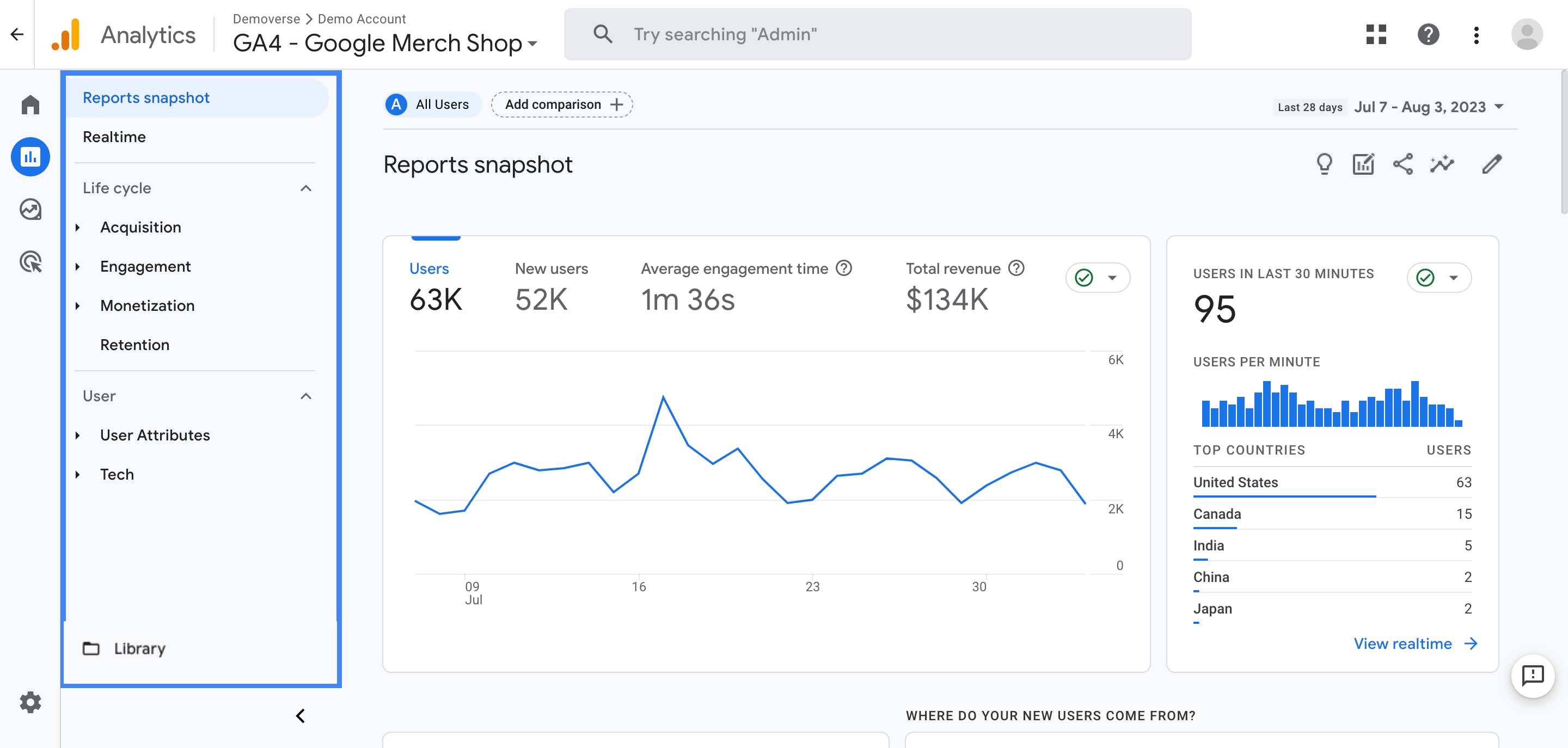
Real‑time reports can reveal unexpected traffic spikes, bot activity, or sudden drops in engagement. Use them to:
- Spot and block malicious traffic.
- Confirm that a new campaign or social post is driving visitors.
- Tweak page layouts on the fly based on immediate feedback.
By reacting quickly, you keep momentum and prevent loss of opportunity.
Integrate with Other Tools and Platforms
Google Analytics works best when paired with complementary services:
- Google Ads – Link accounts to attribute clicks and conversions.
- Google Search Console – Gain visibility into organic queries and clicks.
- Content Management Systems (e.g., WordPress, Shopify) – Install plugins that auto‑tag events.
- Marketing automation – Trigger email sequences when a user completes a goal.
These integrations create a single source of truth and streamline data‑driven workflows.
FAQs About Using Google Analytics to Boost Your Site
Q1: How do I set up goals in Google Analytics?
A: Go to Admin → Goals → New Goal, choose a template or custom type, and define the destination URL or event that marks a conversion.
Q2: Which metric best indicates a site’s health?
A: A combination of low bounce rate, high average session duration, and increasing pages per session generally signals engaging content and good usability.
Q3: Should I use Universal Analytics or GA4?
A: GA4 is the future and offers event‑based tracking and cross‑platform analysis, but many businesses still rely on Universal Analytics for legacy reports. Choose based on your technical needs and timeline.
Q4: How can I reduce bot traffic that skews my data?
A: Enable Bot Filtering in the property settings or use filters to exclude known bot IP addresses.