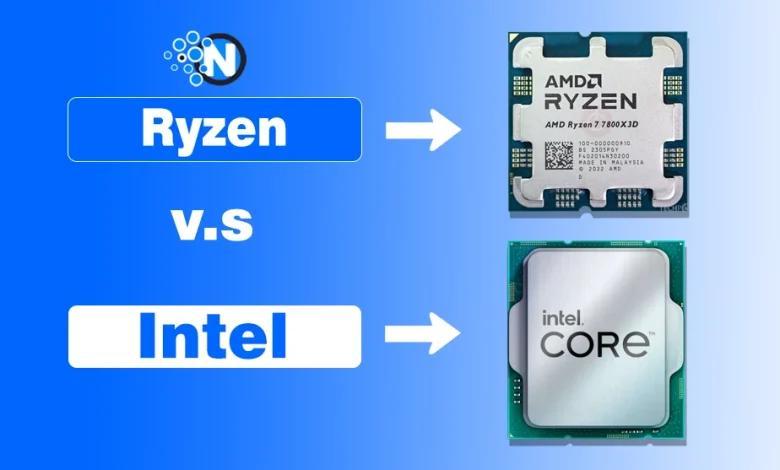
Intel Core vs. AMD Ryzen: Key Differences Explained
When you start hunting for a new processor, the first question on most shoppers’ minds is whether to go with Intel’s Core lineup or AMD’s Ryzen family. Both brands have been trading blows for over a decade, and the gap between them has narrowed enough that the choice now hinges on specific use‑cases, budget, and even personal brand loyalty. In this guide we’ll peel back the layers of architecture, performance, power draw, and ecosystem support so you can see exactly where Intel Core vs. Ryzen diverge—and where they surprisingly overlap.
Architectural Foundations: How the CPUs Are Built
At a high level, Intel’s recent Core chips (12th‑gen “Alder Lake” and 13th‑gen “Raptor Lake”) employ a hybrid design that mixes high‑performance “P‑cores” with efficiency‑focused “E‑cores”. This approach mirrors what Apple does in its M‑series chips, aiming to allocate heavy workloads to the P‑cores while handling background tasks on the E‑cores. AMD’s Ryzen processors, meanwhile, have stuck with a more uniform core design but compensate with higher core counts and a chiplet architecture that separates I/O, cache, and core die sections.
The chiplet strategy gives AMD a manufacturing advantage: they can pair a proven 7 nm core complex with a separate 5 nm I/O die, reducing yields loss and often lowering cost per die. Intel, by contrast, still produces most of its dies on a single monolithic wafer, which can drive up prices but allows tighter inter‑core communication.
Raw Performance: Benchmarks and Real‑World Use
When you look at synthetic benchmarks—Cinebench R23, Geekbench 5, or 3DMark—Intel’s latest Core i9‑13900K typically edges out the Ryzen 9 7950X in single‑threaded scores. That translates to slightly better performance in games that rely on one core, especially at lower resolutions. However, the Ryzen 7950X often pulls ahead in heavily multi‑threaded workloads like video rendering, scientific simulations, or large‑scale content creation, thanks to its 16 full cores and 32 threads.
In everyday scenarios the difference narrows. Most modern titles on a 1080p monitor are bottlenecked by the GPU, so a mid‑range Core i5‑13600K and a Ryzen 5 7600X will feel virtually identical in frame rates. The real distinction emerges when you push the CPU—running 4K gaming, heavy streaming, or compiling massive codebases—and that’s where the architecture choices start to matter.
Power Consumption and Thermals
Intel’s hybrid chips tend to draw more power under full load, often hovering around 250 W for the flagship models, while AMD’s Ryzen 7950X sits closer to 170 W. The efficiency cores in Intel’s design do help keep idle power low, but when you crank the P‑cores to max, the heat output can be significant. This means you’ll likely need a more robust cooling solution—either a high‑end air cooler or an all‑in‑one liquid unit—for an Intel build.
AMD’s chiplet layout spreads the thermal load across multiple smaller dies, which can make heat dissipation a bit easier. Still, the 7950X runs hot enough that a quality cooler is recommended, especially if you plan to overclock.
Pricing and Value Proposition
Historically, Intel has positioned its Core series at a premium, while AMD aimed for aggressive price‑to‑performance ratios. The current market sees both brands offering entry‑level, mid‑range, and enthusiast tiers, but the sweet spot for most users often lands on the Ryzen 5 7600X versus the Core i5‑13600K. The Intel chip usually carries a slight price premium but offers higher boost clocks and better single‑core performance; Ryzen counters with more cores for the same cost.
If you’re on a tight budget, AMD’s “B‑series” motherboards (like the B550) are typically cheaper than Intel’s Z‑series equivalents, though the newer 600‑series chipsets have closed that gap. Don’t forget to factor in the cost of DDR5 memory, which both platforms now support but can vary in price depending on the motherboard’s memory controller.
Ecosystem and Future‑Proofing
One area where Intel has an advantage is platform longevity. Their sockets tend to change less frequently, meaning a 13th‑gen CPU might still fit on a 12th‑gen motherboard with a simple BIOS update. AMD, on the other hand, switched from AM4 to AM5 with the Ryzen 6000 series, requiring a new motherboard for the latest CPUs. However, AMD promises that AM5 will stick around through at least 2025, giving early adopters a longer upgrade path.
Both brands now support DDR5, PCIe 5.0, and integrated graphics options (Intel’s Xe‑Graphics and AMD’s Radeon Graphics). If you rely on onboard graphics for a compact build, Intel’s newer iGPU tends to outperform AMD’s Vega‑based solutions, though neither rivals a dedicated GPU for gaming.
Choosing the Right Chip for Your Needs
- Gaming focus: Lean toward Intel Core i5‑ or i7‑series models for the best frame rates at lower resolutions.
- Content creation: AMD Ryzen 7‑ or 9‑series CPUs offer more cores and better multi‑threaded throughput.
- Budget builds: Compare the Ryzen 5 7600X with the Core i5‑13600KF; the latter may be slightly pricier but includes a more robust boost.
- Power‑sensitive PCs: AMD’s lower TDP chips are a safer bet for small‑form‑factor or silent builds.
FAQ
Q: Does Intel’s hybrid architecture really improve multitasking?
A: Yes, the mix of performance and efficiency cores allows the CPU to allocate background tasks to low‑power cores while keeping the high‑power cores free for demanding applications, which can feel smoother in day‑to‑day use.
Q: Are AMD’s Ryzen CPUs compatible with older motherboards?
A: Only the AM4‑socket Ryzen 5000 series works with older boards. The latest Ryzen 7000 series requires the new AM5 socket, so you’ll need a fresh motherboard.
Q: Which brand offers better overclocking headroom?
A: Both Intel and AMD allow overclocking on their unlocked “K” and “X” models, but Intel’s higher boost clocks often give a slightly larger performance bump, whereas AMD’s chiplet design can sometimes stay cooler under overclock.
Q: Should I prioritize DDR4 or DDR5 memory?
A: DDR5 provides higher bandwidth but at a cost premium. For most gamers today, DDR4 on a compatible board still delivers ample performance, while DDR5 becomes more compelling for heavy workstation tasks.