Is 1440p Resolution Worth the Upgrade? A Complete Guide
When you hear “1440p” in a tech review or a gaming forum, it often signals a sweet spot between the familiar 1080p and the premium 4K. The question many ask, especially when a new monitor or graphics card drops, is whether the extra pixels truly enhance their experience—or just inflate the price tag. In this guide, we’ll unpack the technical facts, explore real‑world benefits and limits, and give you a practical decision‑making framework so you can determine if 1440p is the right step for your setup.
1440p Resolution: What It Means for Your Screens
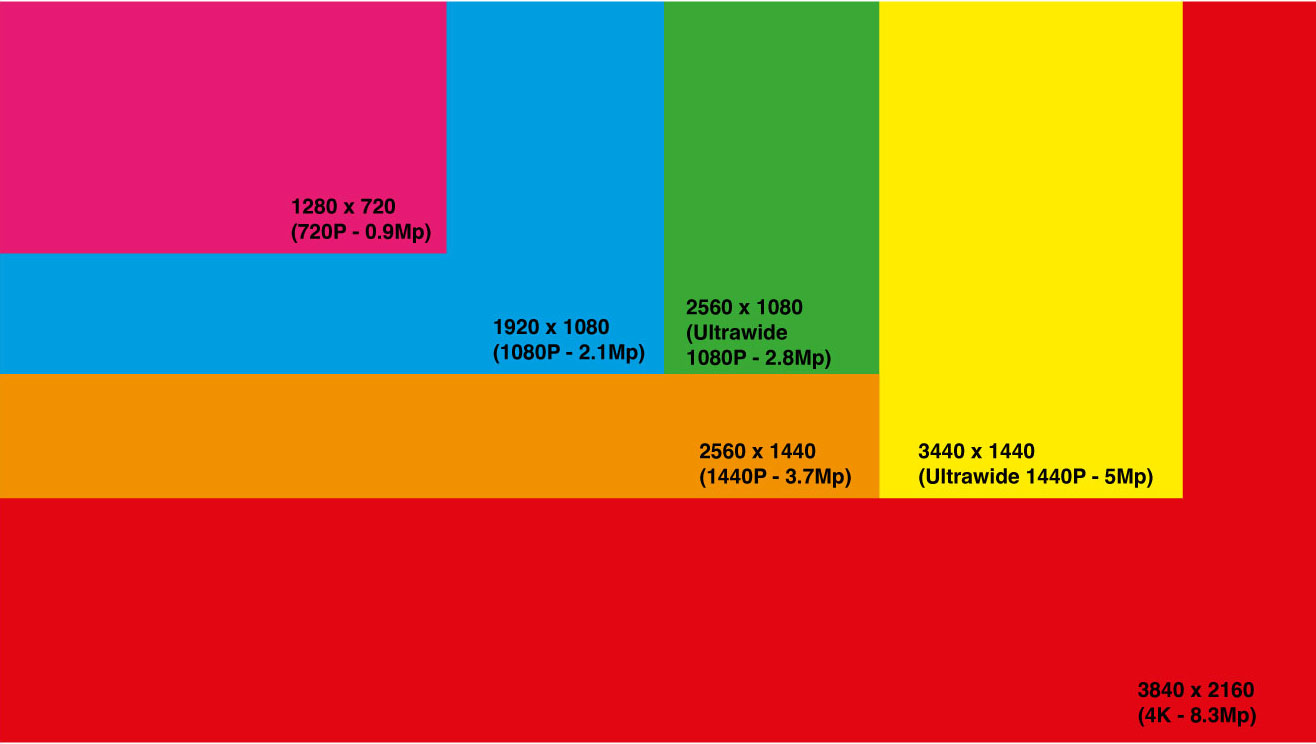
“1440p” refers to a display resolution of 2560 × 1440 pixels, typically called Quad HD (QHD). It’s exactly twice as many pixels horizontally and vertically as Full HD (1920 × 1080), giving roughly 3.7 million pixels versus 2.07 million. In 4K (3840 × 2160), the pixel count jumps to 8.3 million, more than double 1440p.
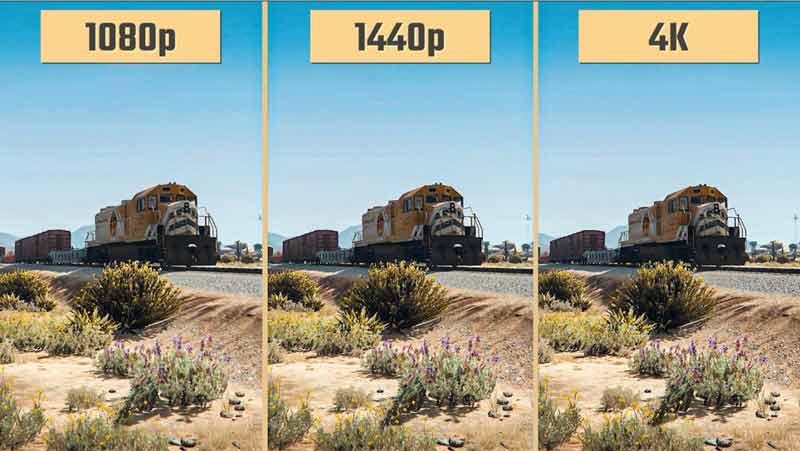
For most monitors, this translates to a pixel density that’s noticeably sharper than 1080p, especially on screens sized 27 inches or larger. The visual difference is subtle at close distances but becomes a clear improvement when you spread your eyes across the screen or use multiple monitors side by side.
Why 1440p Is Gaining Popularity
Several converging trends have nudged 1440p into mainstream consideration:
- Hardware accessibility: Modern GPUs can render 1440p at high frame rates with relative ease, whereas 4K still pushes many cards to the limit.
- Price points: 1440p monitors often sit halfway between affordable 1080p panels and premium 4K displays, offering a compelling balance of cost and quality.
- Content ecosystem: Streaming services, esports, and indie games increasingly support 1440p natively, reducing the need to upscale from lower resolutions.
As a result, the sweet spot has broadened from just gamers to creators, professionals, and everyday users who want clearer visuals without a massive investment.
Benefits of 1440p for Different Use Cases
Gaming
For most players, 1440p delivers the best compromise between crispness and performance. At 1440p, many graphics cards can maintain 60 fps in demanding titles, while the higher pixel density provides a more immersive field of view. In esports, a 1440p screen can also offer a competitive edge: finer details in maps and textures make it easier to spot opponents.
Video Production and Editing
Editors who shoot in 1080p often find 1440p useful for previewing their footage. The extra resolution allows more comfortable scrolling and zooming while maintaining a realistic representation of how the final 1080p file will look. When editing in 4K, however, 1440p can serve as a quick “preview” resolution to speed up the timeline without compromising overall workflow.
General Productivity and Multitasking
Professionals who juggle multiple applications—email, spreadsheets, design tools—benefit from the extra horizontal real estate. A 27‑inch 1440p monitor can comfortably display a wide browser tab alongside a spreadsheet and a chat window, all at readable sizes. This reduces the need to toggle windows constantly, boosting efficiency.
Potential Drawbacks and Limitations
Despite its perks, 1440p isn’t a panacea. Consider the following:
- Hardware demands: While less demanding than 4K, 1440p still requires a GPU with ample VRAM (4–6 GB) for the best performance in modern games.
- Monitor scarcity and pricing: 1440p panels are less common in the ultra‑budget segment; most affordable options start around $250–$350, which may be out of reach for very tight budgets.
- Content availability: Although growing, native 1440p streams and videos are still less common than 1080p or 4K, meaning you might rely on upscaling or downscaling for many media files.
- Eye strain at very close distances: On some monitors, the higher pixel density can create a subtle “screen door” effect if you sit too close, leading to fatigue over extended sessions.
How to Decide If 1440p Is Right for You
Use this quick checklist to gauge fit:
- Do you play high‑fps games that benefit from more pixels?
- Do you edit video or run multiple applications side by side?
- Is your budget comfortably above $250–$350 for a monitor?
- Do you have a GPU that can sustain 60 fps at 1440p in your favorite titles?
- Will you often use 4K content that would otherwise look pixelated on 1080p?
If you answered “yes” to most of these, 1440p likely offers a worthwhile upgrade.
Upgrade Path: From 1080p to 1440p
GPU Considerations
When moving to 1440p, aim for a card with at least 4 GB of VRAM and a CUDA core count that matches your game library. The RTX 3060, RTX 3070, or equivalent AMD cards provide a solid balance between price and performance.
Monitor Selection
Look for panels that support IPS for color accuracy or VA for deeper blacks, depending on your primary use. Refresh rates of 144 Hz or higher are beneficial for gaming, while 60 Hz is adequate for general work.
Cable and Ports
Use DisplayPort 1.2 or HDMI 2.0b to ensure full 1440p at 144 Hz.