Step‑by‑Step Guide to Registering a New DANA Account
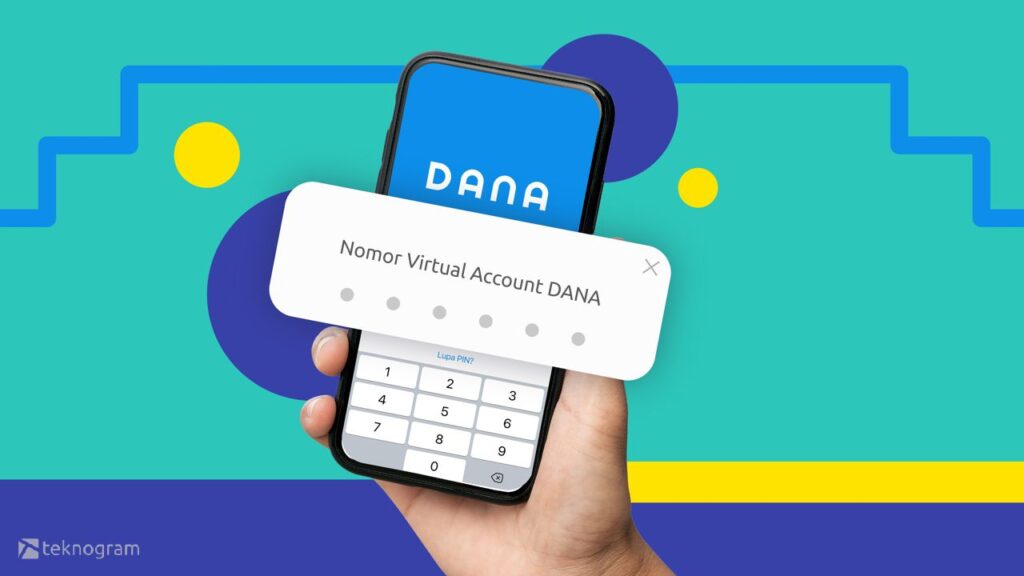
If you’ve heard friends rave about DANA’s seamless payments but aren’t sure where to start, you’re in the right place. This guide walks you through every tap, swipe, and verification needed to register a new DANA account on your smartphone. By the end, you’ll be ready to send money, pay bills, and enjoy the app’s many perks.
How to Register a New DANA Account
The registration process is designed for speed, but a few details can trip up first‑timers. Follow these steps in order, and you’ll avoid the common hiccups.
1. Download the Official DANA App
- Open Google Play Store or Apple App Store.
- Search for “DANA – Dompet Digital.”
- Verify the publisher’s name (PT DANA Indonesia) and install the latest version.
Once the app appears on your home screen, give it a quick launch to begin.
2. Choose Your Language and Agree to Terms
On first launch, DANA asks you to select Bahasa Indonesia or English. Pick the language you’re comfortable with, then read the terms of service and privacy policy. You’ll need to tap “Agree” to move forward; the app stores a timestamp of your consent for compliance purposes.
3. Enter Your Mobile Number
- Type the phone number you intend to use for transactions.
- Make sure it’s active—DANA will send an SMS verification code.
After entering the number, hit “Next.” Within seconds you should receive a 6‑digit code. If the message doesn’t arrive, check your signal strength or request a resend.
4. Verify the OTP (One‑Time Password)
Input the six‑digit code exactly as it appears. A successful entry unlocks the next screen; a wrong code lets you try again up to three times before the app temporarily blocks further attempts for security.
5. Create a Secure Password
DANA requires a minimum of eight characters, including at least one uppercase letter, one number, and one special symbol. Pick something you can remember but isn’t easy to guess—avoid birthdays or simple sequences like “12345678.”
6. Set Up Your Personal Profile
- Full name (as it appears on your KTP or passport).
- Birthdate (must be 17 years or older to use DANA).
- Optional profile picture.
This information helps DANA comply with Indonesia’s financial regulations, and it also makes it easier for contacts to recognize you.
7. Link a Bank Account or Card
While you can operate a basic DANA wallet without a bank, most users link a bank account for top‑ups and withdrawals. Tap “Add Bank,” then select your bank from the dropdown list. You’ll be prompted to enter your bank account number and, in most cases, the bank’s mobile banking password or a QR code scan.
If you prefer a prepaid card, choose “Add Card” and follow the on‑screen instructions. DANA supports Visa, Mastercard, and local debit cards.
8. Complete Identity Verification (KYC)
For higher transaction limits, DANA asks you to complete Know‑Your‑Customer (KYC) verification. You’ll need to upload a clear photo of your KTP (Indonesian ID card) and a selfie holding the ID. The app uses facial recognition to match the two images.
Verification usually finishes within a few minutes, but it can take up to 24 hours during peak periods. You’ll receive a push notification once approved.
9. Enable Biometric Security (Optional)
To speed up future logins, go to Settings → Security → Biometric Login. You can activate fingerprint or facial recognition, depending on your device’s capabilities. This adds a layer of protection without sacrificing convenience.
10. Start Using Your DANA Wallet
With the account set up, you can now add funds, pay bills, or transfer money to friends. The home screen displays your balance, recent transactions, and quick‑access buttons for common actions like “Pay QR,” “Top‑up,” and “Send to Bank.”
Take a moment to explore the “Rewards” tab, where DANA occasionally offers cashback or discount vouchers for specific merchants.
Tips for a Smooth Experience
Keep your contact number up to date. DANA relies on SMS for password resets and transaction alerts. If you change numbers, update them in the app’s profile section immediately.
Set a backup email. While not mandatory, an email address provides an extra recovery channel if you lose access to your phone.
Beware of phishing. DANA never asks for your password or OTP via email or phone call. If you receive a suspicious message, forward it to DANA’s official support channel before clicking any links.
Frequently Asked Questions
Can I register a DANA account without a bank?
Yes. You can create a wallet and use it for peer‑to‑peer transfers, but topping up or withdrawing cash will require a linked bank or prepaid card.
What is the minimum age to open a DANA account?
Users must be at least 17 years old, matching Indonesia’s legal age for financial contracts.
How long does KYC verification take?
Most users see approval within a few minutes, though occasional delays can extend the process to up to 24 hours during high traffic periods.
Is there a limit on how much I can top up?
Unverified accounts have a daily top‑up ceiling of roughly IDR 2 million. Completing KYC raises that limit significantly, often to IDR 10 million or more, depending on your verification tier.